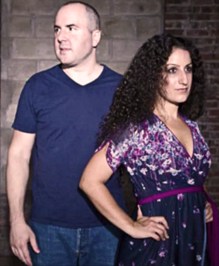
On Air right now —
Listen to Keith and The Girl record a live show
free comedy talk show
Keith Malley and Chemda
Keith and The Girl Free Comedy Talk Show



|
Keith and The Girl is a free comedy talk show and podcast
Check out the recent shows
Click here to get Keith and The Girl free on iTunes.
Click here to get the podcast RSS feed. Click here to watch all the videos on our YouTube channel. |
|
 11-04-2009, 01:00 PM
|
#281 (permalink) | |
|
Senior Member

Join Date: Mar 2007
Location: Denver, CO
Posts: 274
|
Quote:
|
|
| (Offline) |

|


|
11-04-2009, 06:06 PM
|
#283 (permalink) |
|
Senior Member

Join Date: Apr 2006
Location: Wichita KS
Posts: 2,237
|
Preview is Mac's greatest strength, and I'm not exaggerating. It can open all kinds of odball shit. People at work are always forwarding attachments to me so I can save it as PDF or JPG and send it back to them, because windows machines don't enjoy preview's versitility.
|
| (Offline) |
|
|
11-05-2009, 08:53 PM
|
#284 (permalink) |
|
Senior Member
Join Date: Apr 2006
Location: Wichita KS
Posts: 2,237
|
OK, got my drive and ram today, but no enclosure til tomorrow so I just installed ram tonight. Literally took longer to watch the youtube demo than to do the install.
Tomorrow I'll install the drive. Does anyone have any advice for how to go about this? FYI I'm going from a 250gb drive with a 32gb boot camp partition, and has 187gb used and 30gb free on the mac partition. My new drive is 500gb, and I bought a firewire 800 enclosure to make everything as easy as possible. I'm reading three methods on the 'net to accomplish the upgrade. One is to put the new drive on the enclosure, insert the osx install cd, install osx on the new drive while it's in the enclosure, and then use some built-in osx install tool to migrate everything over to the new drive. After all of that, you stut down and physically swap the drives and you're done. Second option is to use freeware to clone the drive, then swap the drives. I find all kinds of silliness about how to restore the boot camp partition (which I'm not going to keep if I actually need to reinstall windows and all the windows software, I don't use it that much). Third option is justlike the secondone only you use disk utility to clone the hard drive. I honestly haven't read anywhere why using free software is better tahn using the built in disk utility. My questions: first: what would you do? Second: can't i just clone the osx partition with disk utility, swap the drives, make a 32gb partition on the new installed hard drive, put the old drive in the enclosure, and then clone the old boot camp partition onto that 32gb partition on my new installed drive? Does that fuck something up with the OS selection at bootup? third: do you have any other advice? |
| (Offline) |
|

|
Keith and The Girl is a free comedy talk show and podcast
Check out the recent shows
Click here to get Keith and The Girl free on iTunes.
Click here to get the podcast RSS feed. Click here to watch all the videos on our YouTube channel. |
|
|
11-06-2009, 08:57 AM
|
#285 (permalink) | |
|
Senior Member

Join Date: Dec 2007
Location: Austin, TX
Posts: 2,260
|
Quote:
|
|
| (Offline) |
|
|
11-07-2009, 10:41 AM
|
#286 (permalink) |
|
Senior Member
Join Date: Apr 2006
Location: Wichita KS
Posts: 2,237
|
Well, cloning the drive with disk utiltiy worked fine. Trying to clone the boot camp part didn't. I made the Fat32 partition using Boot Camp Utility then used Disk Utility to clone the old Boot camp partition to the new one. The partition wasn't bootable because the partition initially created by Boot Camp Utility isn't bootable (it didn't show up on the screen when stating up while holding the option-key, only the Mac hard drive was available).
I found a post on a mac support forum that said that it authinticates the install by knowing whether windows formatted the partition. Well, I erased the cloned Boot Camp partition and then let my windows install CD reformat it, then went back to the mac and cloned the former boot camp partition into it. Still no luck. Oh well, I have over 300gb of free space now and no windows. I really didn't need it anyhow. I'm just going to torrent Office for OSX and use my netbook if I am in desperate need for XP. |
| (Offline) |
|
|
11-07-2009, 01:52 PM
|
#287 (permalink) |
|
Senior Member

Join Date: Mar 2008
Location: Manila, Philippines (y'know the south of Spain)
Posts: 490
|
Ah geez, XP issues + Mac...boo.
OH: my inquiry concerning Macs - what are good terabyte drives compatible with Mac? I'm open to recommendations, suggestions, et al 
|
| (Offline) |
|
|
11-07-2009, 02:38 PM
|
#288 (permalink) | |
|
Senior Member

Join Date: May 2007
Location: pacinian corpuscle.
Posts: 1,480
|
Quote:
I have a DNS-323, and it works fantastic. I picked up two terabyte SATA drives for $70 a pop. It automatically supports RAID 0/1, so you can use all ~2GB or mirror the data for a bit of redundancy. Last edited by dzagama; 11-07-2009 at 02:40 PM. |
|
| (Offline) |
|
|
11-07-2009, 05:02 PM
|
#289 (permalink) | |
|
Senior Member
Join Date: Apr 2006
Location: Wichita KS
Posts: 2,237
|
Quote:
|
|
| (Offline) |
|
|
11-09-2009, 10:32 AM
|
#290 (permalink) | ||
|
Senior Member
Join Date: Mar 2008
Location: Manila, Philippines (y'know the south of Spain)
Posts: 490
|
Quote:
Quote:
 ) AND i looked at what you recommended and was just looking for something for home use, back up and such... ) AND i looked at what you recommended and was just looking for something for home use, back up and such...Any more recommendations? Sorry for asking 
|
||
| (Offline) |
|
 |
«
Previous Thread
|
Next Thread
»
| Currently Active Users Viewing This Thread: 2 (0 members and 2 guests) | |
 Linear Mode

|
|

All times are GMT -5. The time now is 12:59 AM.